
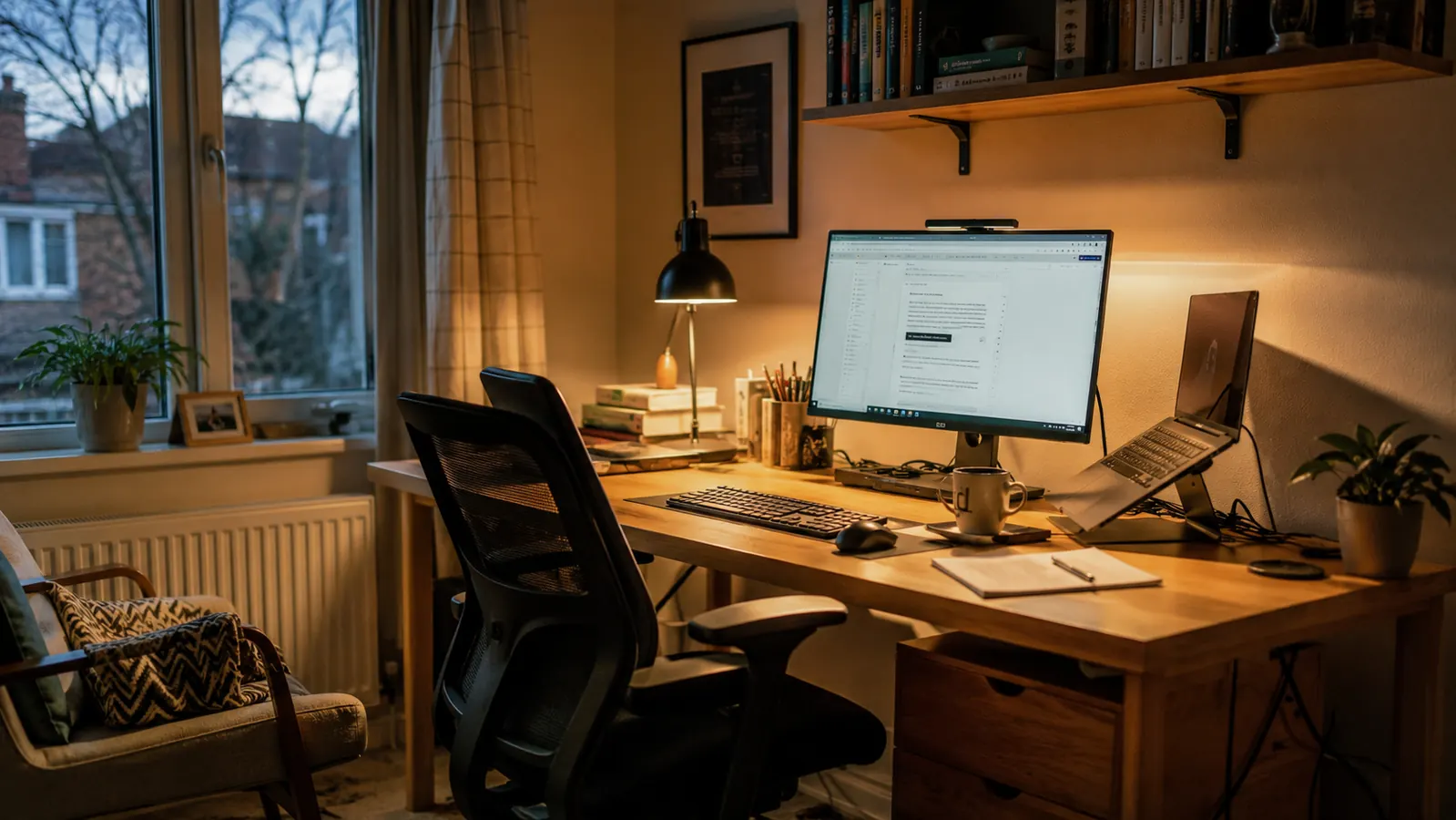
My eyes used to ache by mid-afternoon, every single day. I'd finish a long stretch of writing at my spare-bedroom desk here in Boise, look away from the monitor, and the room would take a second to come back into focus. For years I blamed the screen itself. It turned out the real problem was the gap between how bright my monitor was and how dim and mismatched the light was everywhere else in the room. Once I clamped an Airlonv LED desk lamp to the edge of my desk, one with adjustable color temperature and stepless dimming, that afternoon eye ache mostly disappeared.
A desk lamp is not a magic fix and I'm not a doctor, so I won't tell you it prevents anything long-term. What I can tell you, after nine years of trial and error with cheap lamps that flickered, tipped over, or died within a year, is that the right light next to the right screen makes long sessions noticeably more comfortable. Here are the ten reasons an LED desk lamp made the biggest difference for me, and where the Airlonv model earned its spot on my desk. I've swapped lamps in and out of this desk for nine years now, so this isn't a first-week impression. It's what stuck around after the novelty wore off.
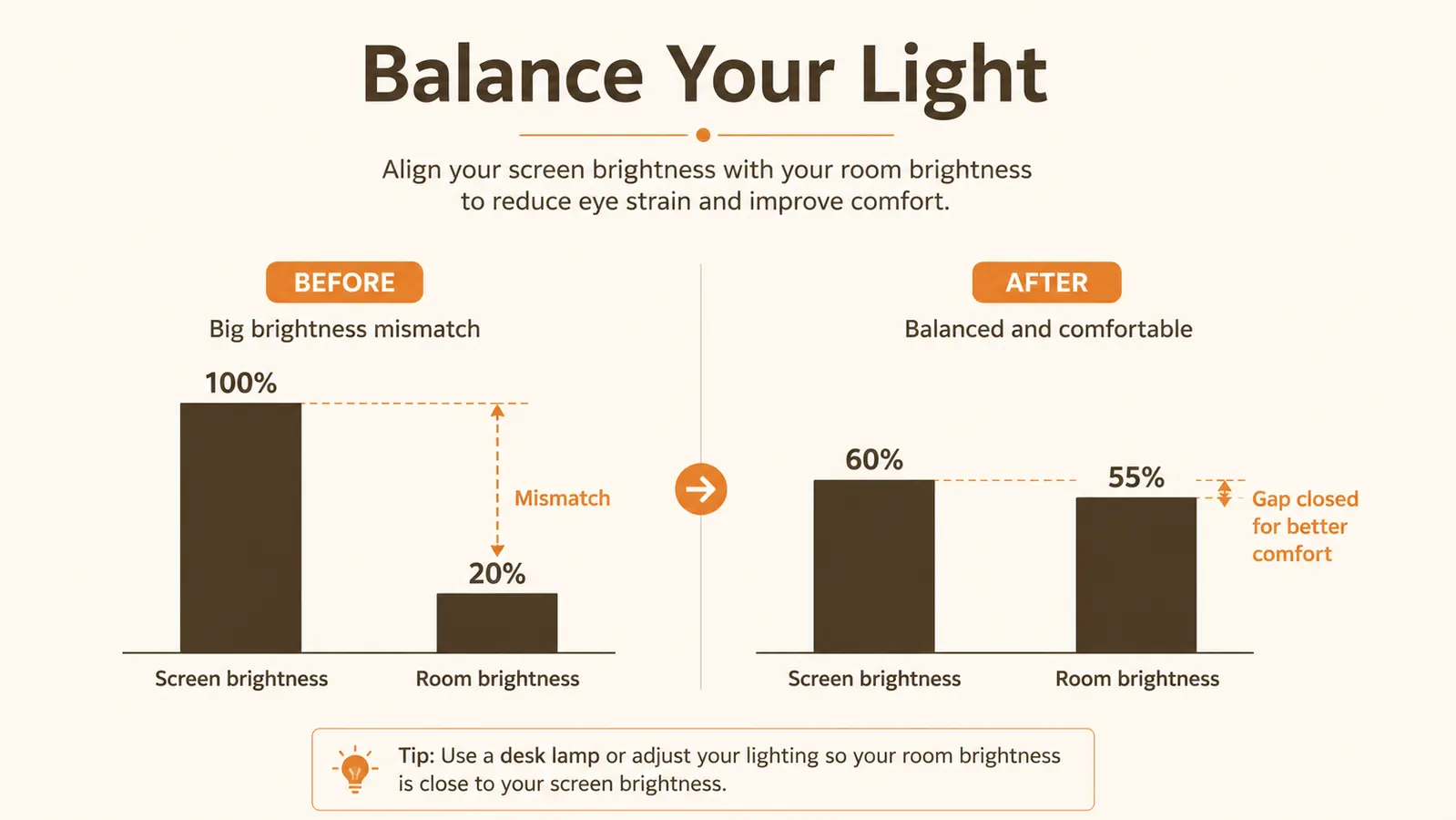
Stop letting your monitor be the only light source in the room
If your desk lamp situation is a dying floor lamp in the corner or an overhead fixture that glares off your screen, this is the cheap fix I wish I'd made years earlier.
Amazon Check Today's Price on Amazon →It closes the brightness gap between your screen and your room
Your eyes work harder when they keep adjusting between a bright monitor and a dark room around it. That constant readjusting is a big part of what makes a workday feel exhausting by hour six. A desk lamp aimed at the desk surface, not at the screen, brings the surrounding light closer to what the monitor is putting out so your eyes aren't yo-yoing between the two all day. I didn't understand this until I sat next to a coworker's desk that had a dedicated lamp and mine didn't. The difference in how tired my eyes felt by the end of the call was obvious within twenty minutes.
Adjustable color temperature matches the time of day
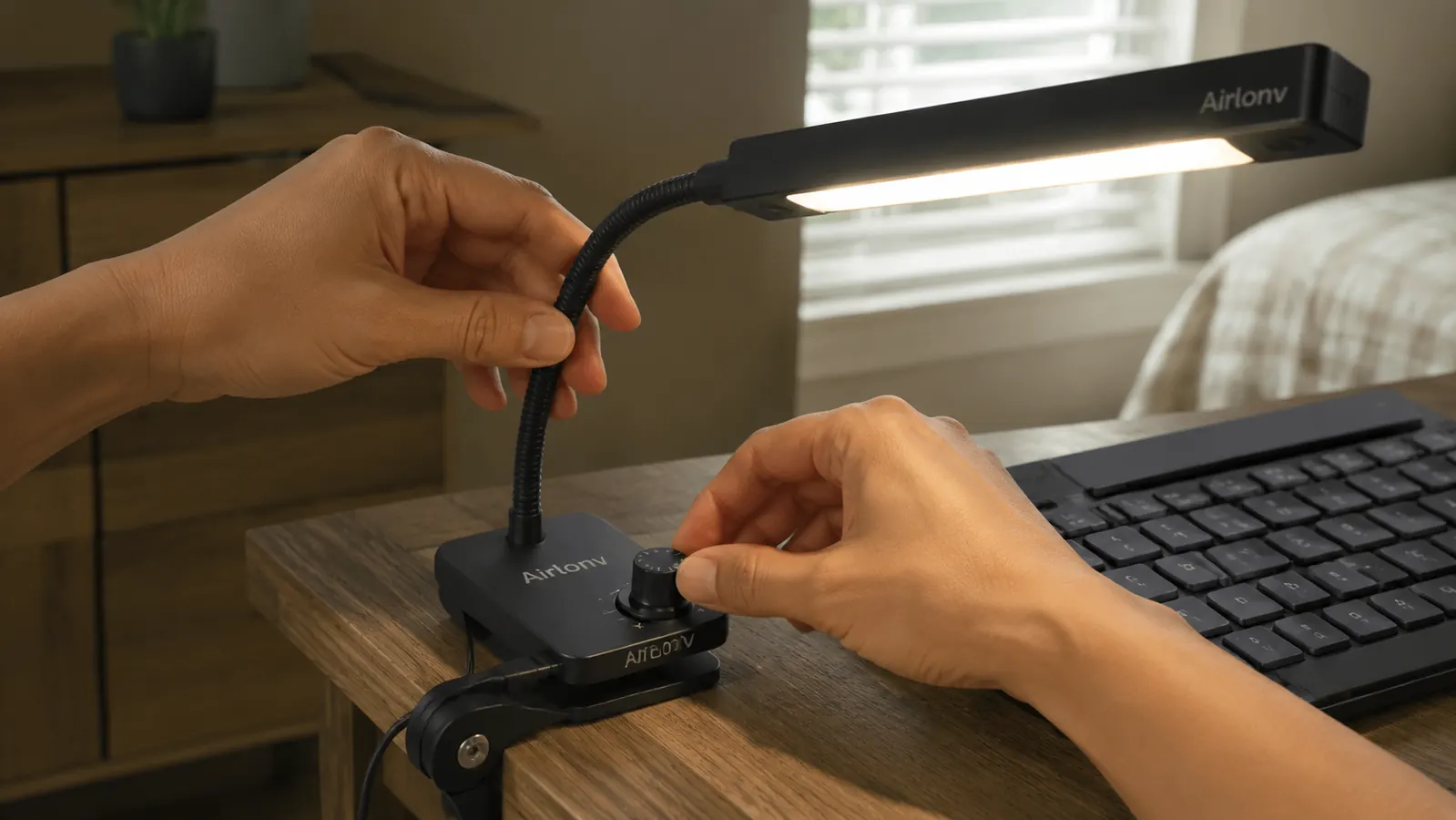
Mornings I want a cooler, whiter light to feel alert. By evening I switch the Airlonv over toward the warmer 2700K end so the room doesn't feel like an operating theater at 9 p.m. A fixed-temperature lamp can't do that, and I went through two of those before I understood why they always felt slightly wrong depending on the hour.
Stepless dimming means you're never stuck on one brightness
A lot of cheap desk lamps give you three settings: too dim, too bright, and an awkward middle. Stepless dimming lets me nudge the brightness up on gray Boise winter afternoons and back down once the sun comes through the window later. Small adjustments like that add up over an eight-hour day at the keyboard. On overcast days, which Boise has plenty of from November through March, I nudge the dial up a notch or two rather than flipping between two fixed settings that never quite match the light outside the window.
A gooseneck arm kills glare instead of adding to it
I used to have a small lamp aimed straight at my keyboard that bounced light right back up into my eyes off the glossy desk surface. The gooseneck on my current lamp lets me angle the head down and to the side so the light lands on the desk without throwing a hot spot back at me. Positioning turned out to matter more than raw brightness. It took me a week of small adjustments to find the angle that worked for my desk height, but once I found it, I haven't touched it since.
Flicker-free LEDs remove a strain source you can't consciously see
This is the one that surprised me most. My old desk lamp had a barely perceptible flicker, the kind you don't notice you're noticing. When I read more about how a lot of desk lamp reviews mention flicker as a hidden fatigue driver, I paid attention to it in my own setup and switched to a flicker-free model. My full experience with it is in my long-term Airlonv desk lamp review if you want the details.
Even light spread covers the keyboard, the notebook, and the desk pad
I still take notes by hand next to the keyboard, and a narrow spotlight-style lamp leaves half that space in shadow. The 100-LED spread on mine lights the whole working surface evenly, so my eyes aren't constantly refocusing between a lit keyboard and a dim notepad six inches away. Before this lamp, I'd shift my chair or tilt my notepad toward whatever light was available, which is its own small source of neck and shoulder strain over a full day.
A clamp base gives back desk space in a small room
My spare bedroom office is not big. A base-heavy lamp eats up desk real estate I need for my keyboard tray and coffee cup. A clamp mount attaches to the back edge of the desk and gets the whole fixture off the surface entirely, which matters more than it sounds like when your desk is barely 40 inches wide. I measured before I bought, since a lamp that clamps to a desk thicker than an inch and a half won't fit every desk, and mine barely cleared it.

It cuts the glare bouncing off your monitor from overhead lighting
Overhead fixtures throw light at an angle that often lands right on a monitor and bounces a washed-out glare back at your face. Once I angled a desk lamp low and to the side instead, and dimmed the overhead light, that glare mostly went away. If you want the full walkthrough, I wrote it up separately in how to fix eye strain with a desk lamp.
It makes late sessions feel less harsh without going dark
Working past dinner used to mean either a glaring overhead light or nothing but the monitor glow, and neither felt right. Dimming a warm-toned desk lamp down low in the evening gives me enough light to see my keyboard and notes without the room feeling lit up like midday. It's a small thing that changed how late sessions actually feel. My wife used to comment on how bright my office looked from the hallway at 9 p.m. That stopped being a conversation once I started dimming the lamp instead of running the overhead light.
One decent lamp replaced three cheap ones that didn't last
Before this one, I went through a string of bargain desk lamps. One had a dimmer knob that stopped working after four months. Another had a clamp that loosened and let the head droop onto my keyboard. Buying one lamp built to actually hold its adjustment and survive daily clamping and repositioning ended up cheaper than replacing cheap ones twice a year. I kept the receipts on those old lamps out of habit, and adding up what I spent replacing them twice over three years made the case for buying one durable lamp instead of three disposable ones.
What I'd Skip
I'd skip any desk lamp that only offers one fixed color temperature or a handful of brightness steps. I tried both of those shortcuts over the years to save a little money and ended up replacing the lamp within a year anyway. I'd also skip anything with a heavy weighted base if your desk is small, since a clamp-mounted lamp like the Airlonv gives you the surface space back. And I would not buy a desk lamp expecting it to fix everything about eye fatigue on its own. Screen distance, break habits, and monitor brightness settings all matter too. The lamp is one piece, not the whole solution. None of that is meant to sound like a warning label. It's just what nine years of trial and error taught me about which shortcuts actually cost more in the long run.
The lamp didn't fix everything, but it fixed the one thing I never thought to blame: the dark room around a bright screen.
A desk lamp is a small buy that fixes a daily annoyance
If you're already staring at a screen for hours, closing the brightness gap between your monitor and the room around it is one of the cheapest changes you can make to your setup.
Amazon Check Today's Price on Amazon →