
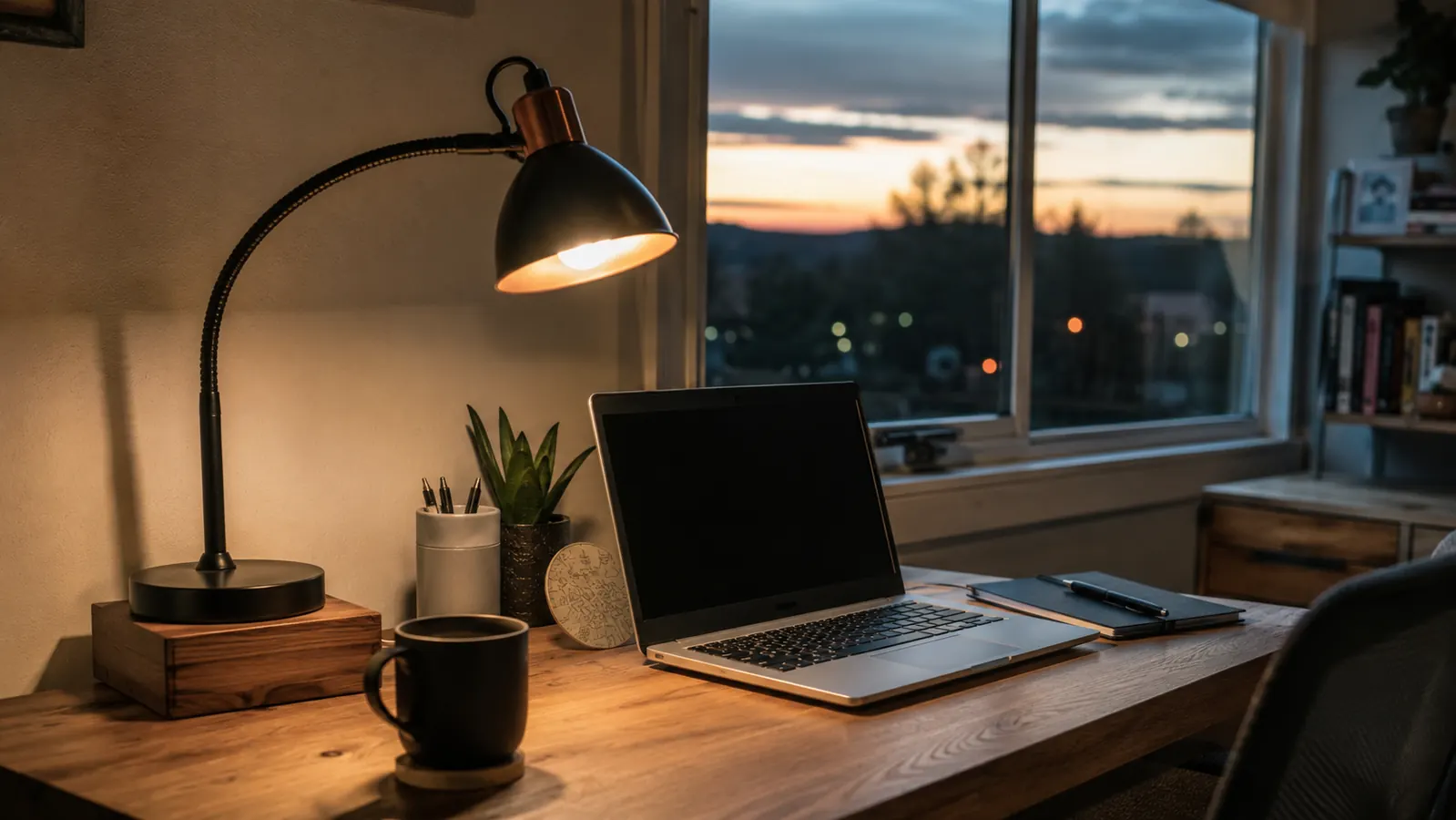
By nine o'clock most nights, my eyes used to ache before anything else did. Nine years of working out of a spare bedroom in Boise, and the thing that finally moved the needle on my eye strain wasn't a new monitor or a fancier chair, it was a desk lamp. Specifically, it was realizing that the overhead light in my spare bedroom and the cool white glow coming off my monitor were fighting each other for hours a day, and my eyes were the ones losing that fight. I ended up swapping in an Airlonv LED desk lamp with a gooseneck clamp, and it turned out to be the cheapest change I've made at this desk that actually did what it promised.
I want to be upfront about something before I get into the steps. This isn't a medical guide, and eye strain can have a lot of different causes, some of which need an eye doctor and not a blog post from a technical writer in Boise. If your eyes hurt in a way that doesn't ease up, or you're dealing with blurred vision, halos, or headaches that stick around after you've stepped away from the screen, that's worth a real conversation with an eye doctor before you buy anything. What I'm walking through here is the ordinary end-of-day eye fatigue that comes from bad desk lighting, the kind most of us have without ever noticing the light is the culprit. Here's the five-step process I used to figure that out and fix it with the right desk lamp, not just a brighter one.
Your Eyes Shouldn't Be This Tired by Lunch
If you're squinting at a bright screen under dim overhead light, or a harsh lamp is throwing glare across your monitor, the fix is probably smaller than you think. The Airlonv desk lamp has stepless dimming and a 2700K to 6500K color range, so you can match the light to the room instead of fighting it all day. Check today's price on Amazon before you read the rest of this guide.
Amazon See the Airlonv Desk Lamp on Amazon →Step 1: Figure Out If Lighting Is Actually the Problem
Before I bought a new desk lamp, I spent about a week paying attention to when my eyes actually started bothering me. I noticed the ache showed up worse on cloudy days, worse in the evening, and almost never in the first hour or two after I sat down. That pattern pointed at lighting rather than the screen itself, because if it were purely a monitor brightness problem, it should have felt the same at nine in the morning as it did at seven at night.
I also checked the obvious things. My spare bedroom has one overhead fixture, and on gray Boise mornings it wasn't putting out much light at all, which meant my monitor was the brightest thing in the room by a wide margin. That kind of contrast, a bright screen surrounded by a dim room, is exactly the setup that makes your eyes work harder than they need to, constantly readjusting between the glowing screen and the dark space around it. If your room looks similar, dim and gray with a bright monitor as the main light source, there's a good chance the fix starts with a desk lamp, not with your eyes themselves.
I even tracked it against my calendar for a few days, just jotting down a quick note in the evening about how tired my eyes felt on a scale of one to five. The pattern held up. Days I worked from a coffee shop with big windows and even light everywhere, I barely noticed my eyes by dinner. Days I was stuck in the spare bedroom with the blinds half closed and the overhead light off, the ache started by mid-afternoon. That kind of simple tracking is worth doing before you spend money on anything, because it tells you whether you're chasing the right fix.
One more thing worth saying here. If your eye strain comes with pain that doesn't ease up after a night's sleep, blurred vision, or headaches that keep showing up no matter what you change about your desk, that's a signal to see an eye doctor rather than keep experimenting with lamps. Lighting fixes the mechanical strain of staring at a screen in a mismatched room, it isn't a stand-in for a real eye exam if something else is going on.
Step 2: Pick a Desk Lamp With Real Brightness and Color Control
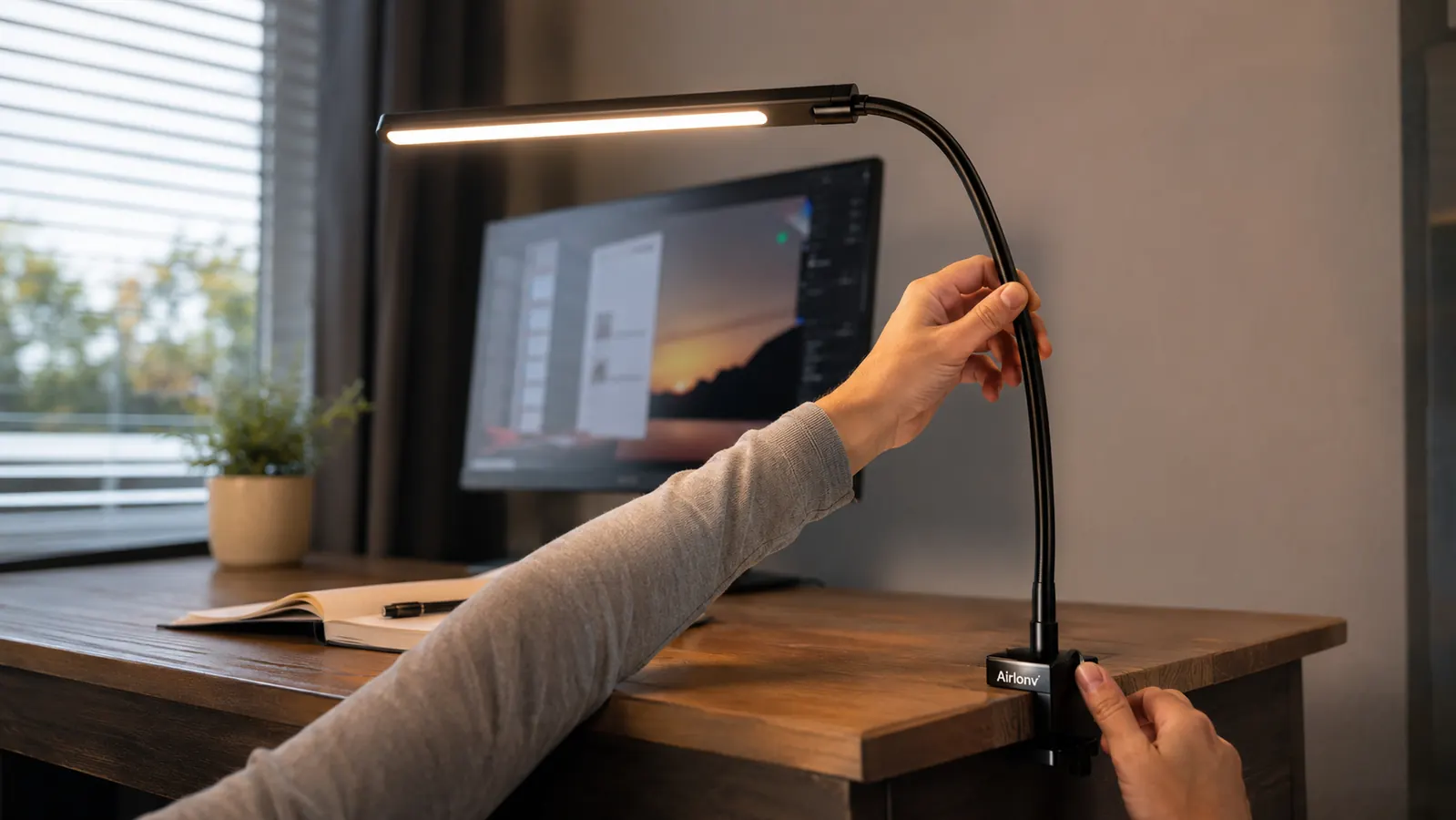
Not every desk lamp actually solves this problem. A lot of the cheap ones I looked at online only had two or three brightness settings and a single fixed color, which meant I'd be stuck with whatever light temperature the manufacturer picked, whether or not it matched my room or the time of day. What I ended up with was the Airlonv LED desk lamp, mostly because it has stepless dimming, meaning I can slide the brightness up or down instead of clicking through a handful of preset levels, and a color range that runs from 2700K warm amber up to 6500K cool daylight.
The stepless part matters more than it sounds like it should. With the presets on my old lamp, I was always either a little too bright or a little too dim, never quite right, and I'd just leave it wherever felt closest and live with the mismatch. Being able to dial the Airlonv down two or three percent at a time meant I could actually match the room's ambient light instead of approximating it, and that small difference is a big part of why my eyes stopped working so hard by the end of the day.
I'd also skip anything that only clips on with a flimsy plastic clamp. My desk isn't huge, and the Airlonv's clamp mount frees up the whole surface instead of eating into it the way a heavy weighted base would. If your desk is on the small side too, a clamp-style lamp is worth prioritizing over a freestanding one, just for the space it gives back.
Step 3: Set the Lamp's Angle and Distance to Kill Glare
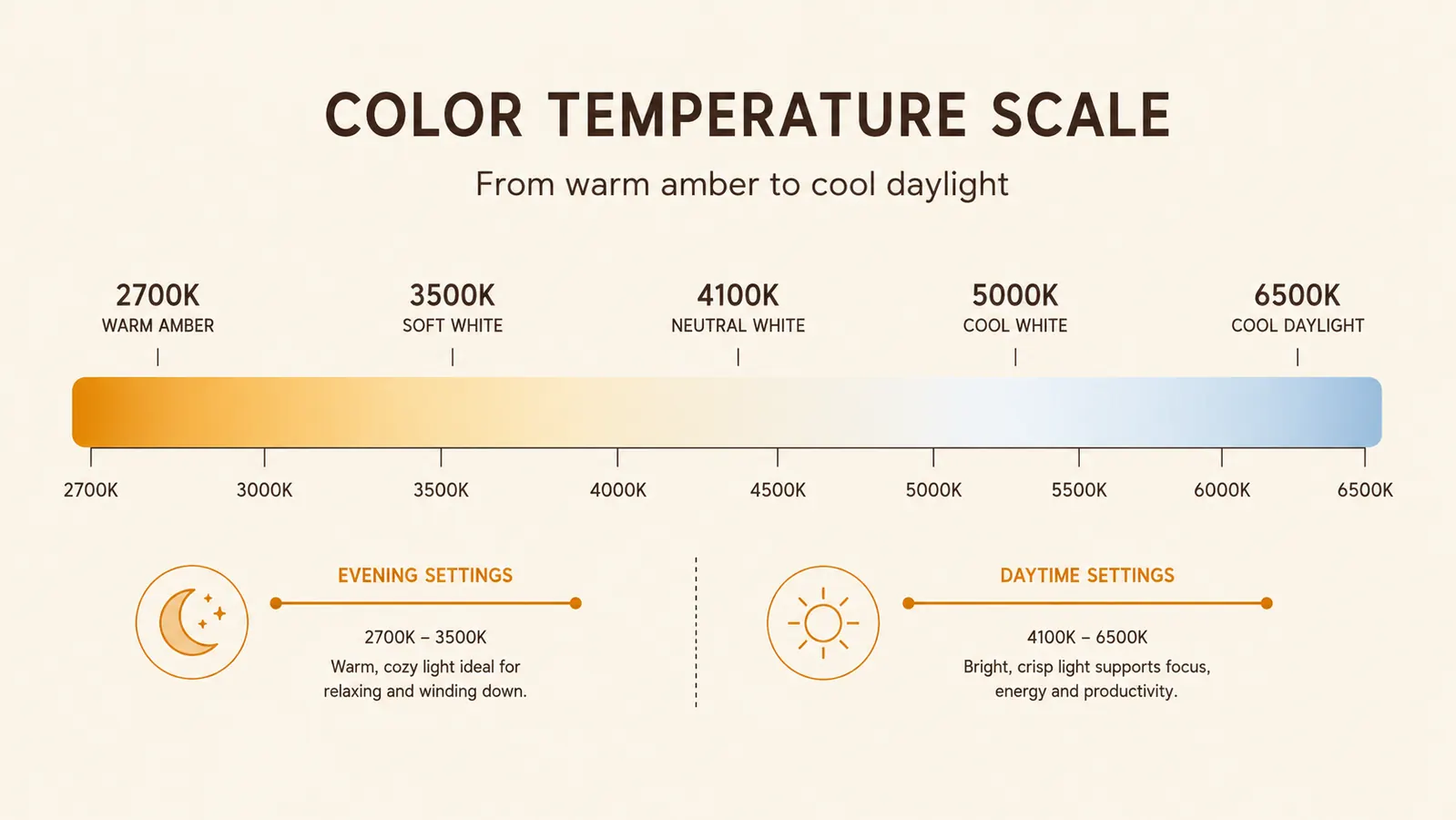
Once I had the right desk lamp, I still had to figure out where to put it, and I got this wrong the first time. I clamped the Airlonv to the front edge of my desk, angled almost straight at my monitor, and ended up with a bright reflection sitting right in the middle of my screen. It looked fine when the lamp was off, and it was genuinely worse than no lamp at all once it was on, because now I had glare layered on top of the original problem.
The fix was moving the clamp to the side of my desk instead of the front, and angling the gooseneck arm so the light falls across my keyboard and the area around my monitor rather than directly onto the screen itself. With a 360-degree gooseneck, that adjustment took about thirty seconds once I understood what I was trying to do. I also raised the lamp head a bit higher than eye level so I'm never looking straight into the LEDs when I glance up from typing, which was a smaller thing but it made the setup feel a lot more comfortable within the first day.
If you're working with a lamp that clamps to a desk edge, take the extra minute to test a few positions before you settle on one. Turn it on, look at your screen from your normal sitting position, and check for any bright spot or reflection. If you see one, the lamp is too close to your monitor's sightline and needs to move to the side or angle away from the glass. It's also worth checking your monitor's height at the same time, since a screen that sits too low tends to pull more overhead and lamp glare into your direct line of sight than one raised closer to eye level.
Step 4: Match Color Temperature to the Time of Day
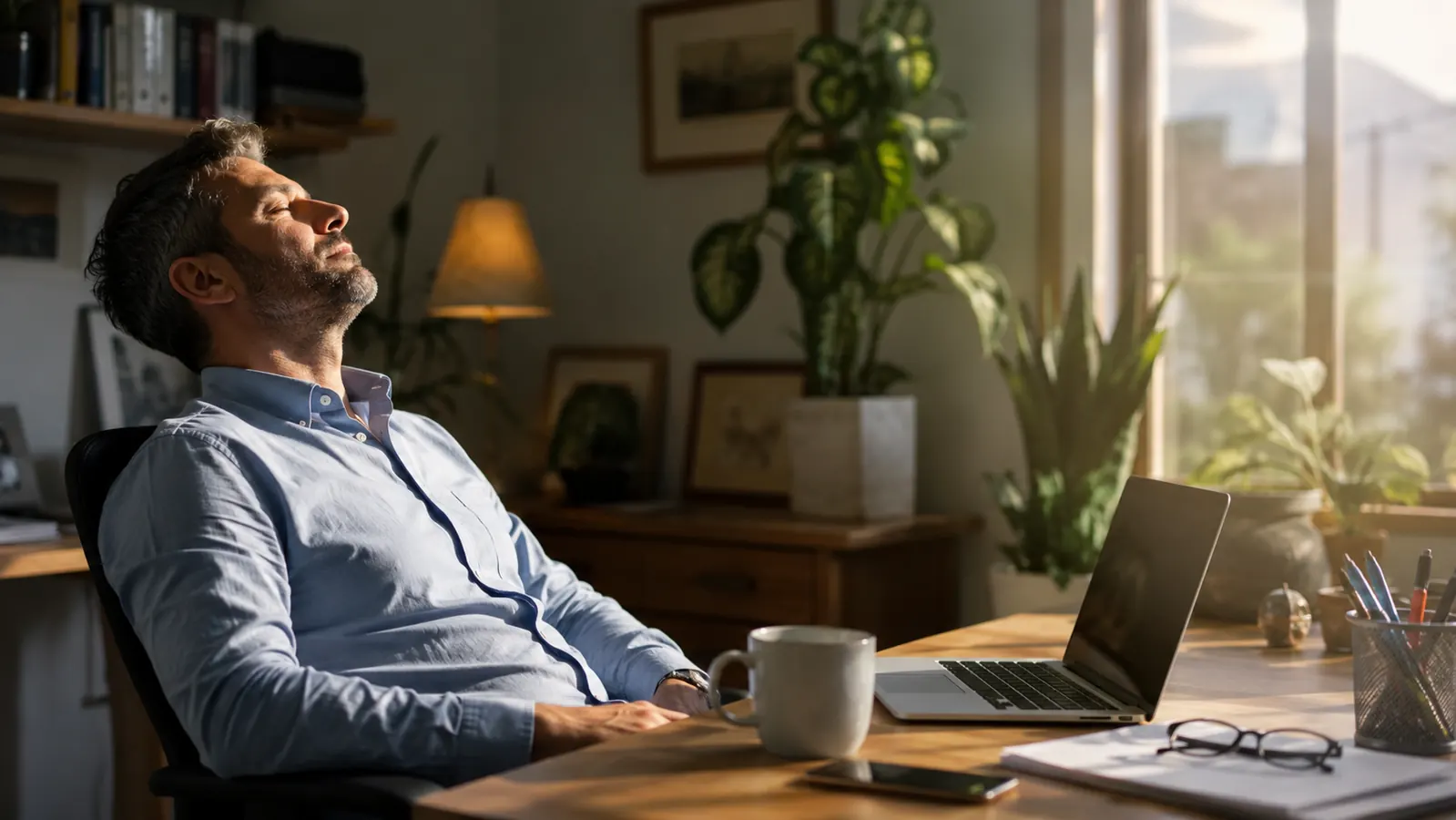
This is the step that made the biggest difference for me personally, and it's the one most people skip because they don't realize their lamp can even do it. During the day, I run the Airlonv closer to 5000K, which is a cooler, more daylight-like white that matches the light coming through my window and keeps everything in the room feeling like one consistent light source instead of two competing ones. Once it starts getting dark outside, usually around six or seven depending on the season here in Boise, I dial it down toward 2700K, a warmer amber tone that's closer to what my monitor's night mode is already doing.
Before I started adjusting for time of day, I kept the lamp on one setting no matter what, and in the evening that cooler white light was fighting against my monitor's warmer night shift color, which is a mismatch your eyes have to work to reconcile even if you don't consciously notice it. Switching the lamp's temperature to match my screen's temperature in the evening cut down on that low-level friction, and it's a change that took me all of five seconds each night once it became a habit.
Step 5: Build a Light Layering Habit, Not Just One Lamp
A good desk lamp fixes a lot, but it isn't the whole answer by itself. I learned this the hard way one week when I got lazy and just cranked the Airlonv up bright and left the rest of the room dark, figuring more light on my desk had to be better. It wasn't. A single bright light source in an otherwise dark room creates the same kind of contrast problem I started with, just moved from the monitor to the lamp. What actually works is layering, a little bit of ambient light in the room plus the desk lamp doing the close-up work, so there's no single point in my field of view that's dramatically brighter than everything around it.
In practice, that meant leaving a small plug-in nightlight on across the room in the evenings, just enough to keep the space from going pitch dark outside the lamp's glow. It sounds like a small thing, and it was, but it took the edge off in a way that surprised me. The room stopped feeling like a dark box with a bright hole cut into the middle of it, and my eyes had somewhere gentler to land when I looked up from the screen.
I also started building in the basic habits that go with any screen-heavy job, regardless of how good the lighting is. Every twenty minutes or so, I look at something at least twenty feet away for about twenty seconds, which is a simple rule that costs nothing and gives my eyes a break from constant close focus. I blink more deliberately too, since staring at a screen tends to slow your blink rate without you noticing, and dry eyes make strain feel worse than it needs to. None of this replaces the lamp, but stacked together with the right lighting, it's what actually got my eyes back to normal by the end of a workday instead of just making the ache slightly less bad.
What Else Helps
The desk lamp was the single biggest change for me, but it works best as part of a fuller setup. Screen brightness that's too far above or below your room's light level will still cause strain even with great lamp placement, so it's worth checking that your monitor isn't set brighter than it needs to be. Cutting down on other bright screens in your peripheral vision, like a second monitor left glaring at full brightness while you focus on the first, helps too, and it costs nothing to check. If you want the fuller case for why the right desk lamp matters this much for eye strain, I laid out ten specific reasons in 10 reasons a desk lamp reduces eye strain, and if you're trying to decide whether the Airlonv specifically is worth adding to your desk, I wrote up a full season of using it in the Airlonv desk lamp long-term review.
My eyes weren't broken. My room was just fighting my monitor every single day, and nobody had told me a desk lamp was the referee.
Stop Letting Your Room Fight Your Monitor
If your eyes feel tired by mid-afternoon and you've never actually looked at the lighting around your desk, the Airlonv is the cheapest fix I made that actually stuck. Check today's price and current availability on Amazon.
Amazon Check the Airlonv Desk Lamp's Price on Amazon →