
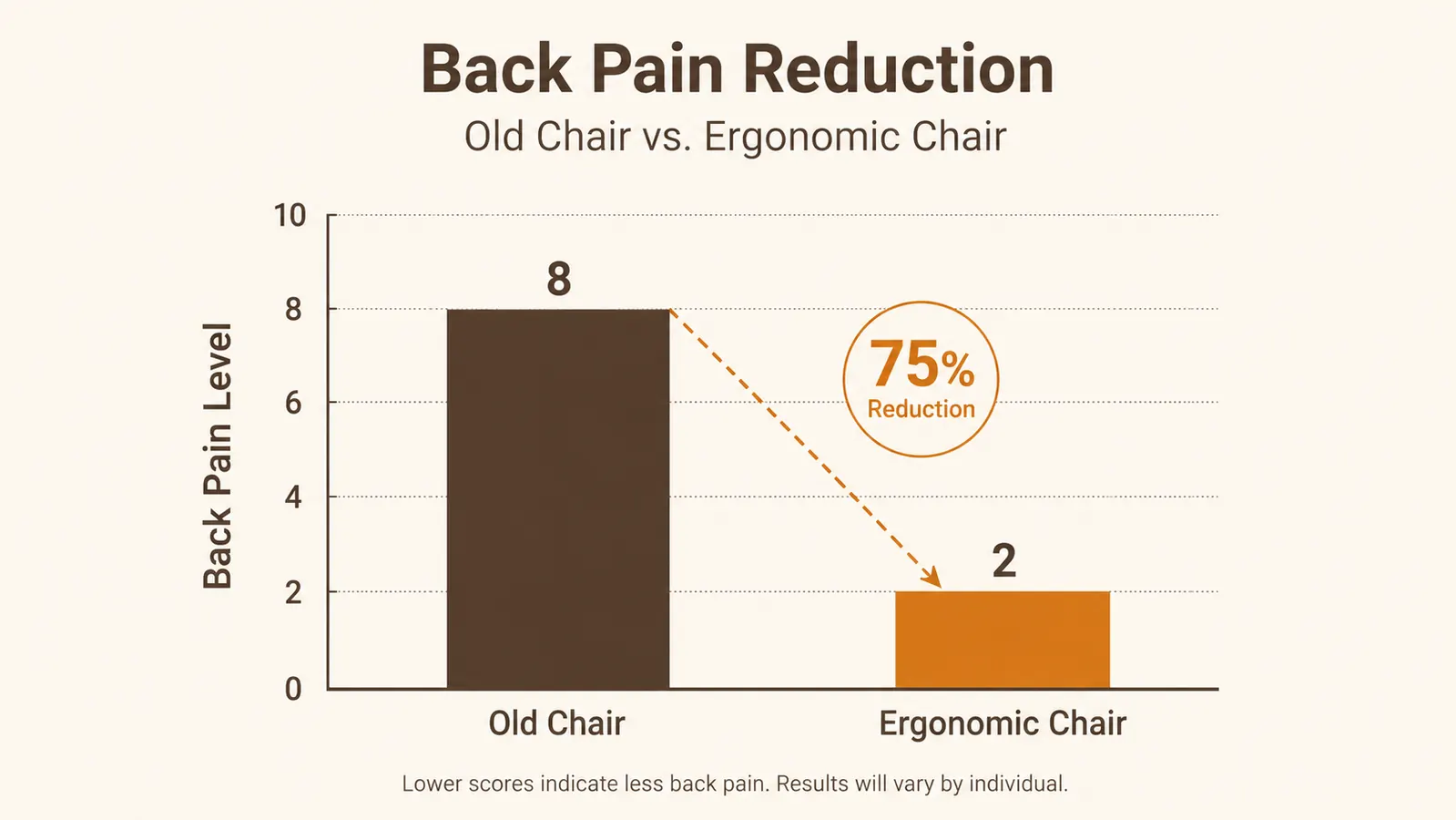
My back used to start aching around 2pm, every single afternoon, like clockwork. I tried a new mattress. I tried standing more. I even bought different shoes, which tells you how far I was reaching. The thing I never questioned for two straight years was the folding chair I'd dragged in from the garage when I started working from my spare bedroom. Once I finally swapped it for an actual ergonomic office chair, a SIHOO B100 I picked mostly because the reviews mentioned lower back support specifically, the 2pm ache just stopped happening. Not overnight, but within a couple of weeks it was gone.
I'm not a physical therapist. I'm a technical writer in Boise who has worked from home for nine years, so I've sat through every bad furniture decision a person can make. What I can tell you is why the chair mattered more than anything else I tried, and here are the ten reasons an ergonomic chair like the SIHOO B100 stops the kind of back pain that builds up during a normal workday. If you want the full breakdown of how I set mine up, I wrote a longer walkthrough here: SIHOO B100 review after four months of daily use.
Stop guessing at what's causing the ache and fix the actual cause
Most desk back pain doesn't come from your posture willpower running out. It comes from a chair that never supported your lower back in the first place. See today's price on the SIHOO B100 and check current availability.
Amazon Check Today's Price on Amazon →It holds the curve in your lower back instead of letting it collapse
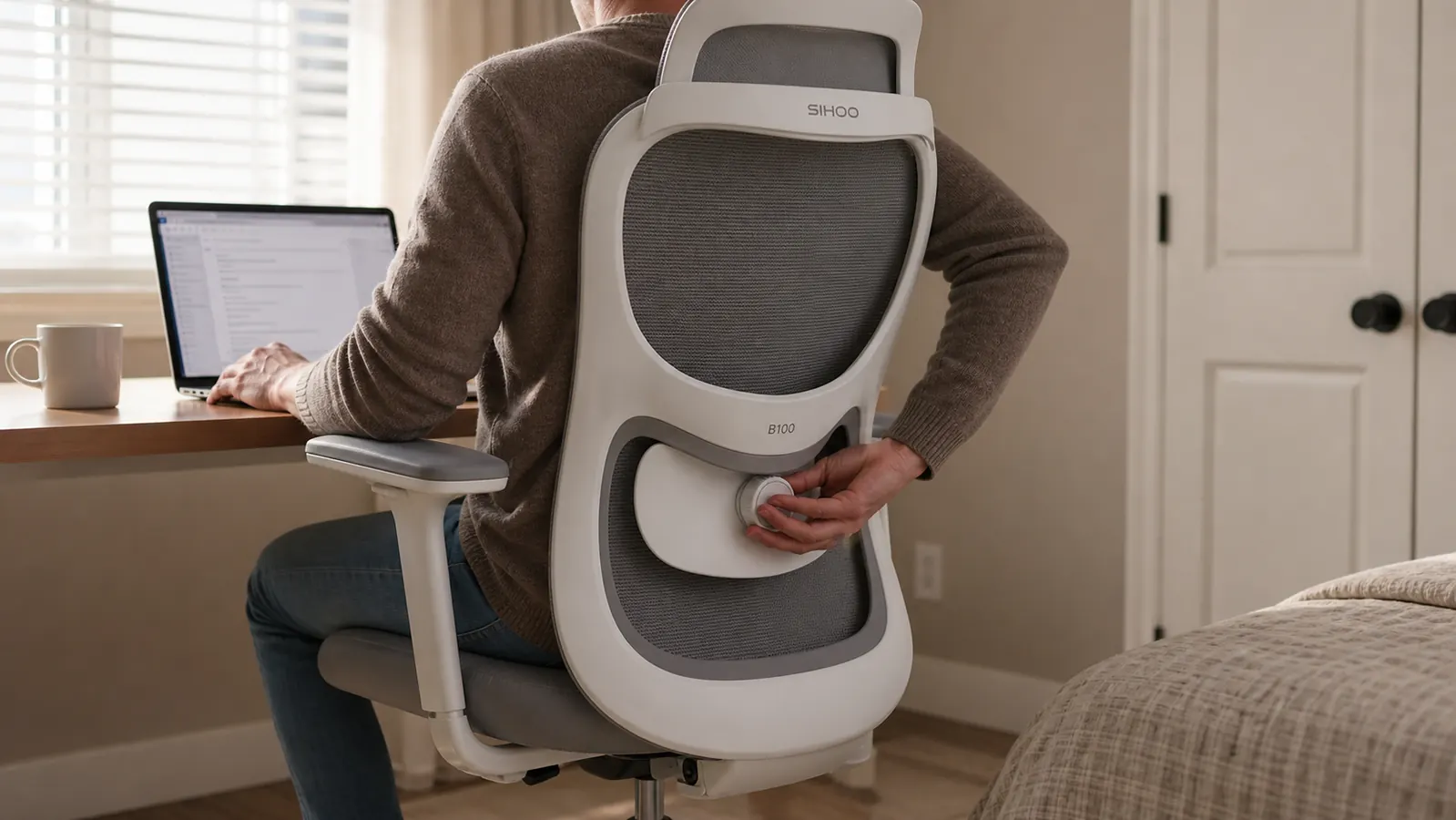
A folding chair or a kitchen chair has a flat back. Your spine isn't flat, it curves inward at the lumbar region, and when nothing supports that curve your lower back rounds out after twenty or thirty minutes. That rounding is where most desk back pain starts. The SIHOO B100 has an adjustable lumbar support pad that pushes into that curve and keeps it from collapsing, which is the single biggest change I noticed switching chairs.
Adjustable armrests take the load off your shoulders and neck
If your armrests are too low or too high, or there are none at all, your shoulders end up doing the work of holding your arms up for hours. That tension travels straight down into your upper back. Height and width adjustable armrests let your elbows rest at roughly 90 degrees, which sounds minor until you notice your shoulders aren't creeping up toward your ears by 3pm anymore.
Breathable mesh keeps you from slouching to escape the heat
This one surprised me. A padded foam chair traps heat against your back, and I noticed I'd shift forward, away from the backrest, just to cool off, which meant I stopped using the lumbar support entirely. Mesh backing lets air move through, so there's less reason to lean away from it. Small thing, but it changes how consistently you actually stay in a supported position over an 8 hour day.
Seat depth adjustment stops thigh pressure that drags your hips forward
If the seat pan is too deep for your legs, the front edge digs into the back of your knees and you end up sliding your hips forward to relieve it, which pulls your lower back away from any support behind you. A chair that lets you slide the seat pan in or out means your knees bend at a natural angle and your hips stay back where the lumbar support can actually reach them.
A synchro-tilt recline lets you shift position instead of freezing in one
Staying perfectly still in one position for eight hours is its own problem, even in a good chair. A synchro-tilt mechanism lets the backrest recline while the seat tilts at a slower matching angle, so you can lean back to think through an email or a problem without losing support under your spine. Being able to shift position every so often, without standing up, keeps blood moving and muscles from locking up.
A wide, adjustable headrest reduces neck fatigue that radiates into your upper back
Neck and upper back pain are more connected than people expect. When your neck juts forward toward the screen, the muscles across your upper back and shoulders tighten to compensate. A headrest you can raise, lower, and angle gives your neck somewhere to rest during calls or reading, which takes pressure off that whole upper back chain, not just your neck.
A sturdy base and real weight rating prevent the wobble that makes you brace
A wobbly base sounds like a minor annoyance, but it makes you unconsciously tense your core and back muscles to stay stable, which adds up over a full workday. A chair rated for 300 lbs with a solid five-point base isn't flexing or rocking under normal use, so your muscles can actually relax instead of quietly bracing for a tip.

Tilt tension control matches recline resistance to your actual body weight
Most cheap chairs have one recline setting, or none, and it's calibrated for nobody in particular. Tilt tension adjustment lets you dial in how much resistance the recline has, so leaning back takes a controlled effort instead of you either fighting the chair or flopping backward. Getting that resistance matched to your weight means the recline supports your back instead of straining it.
It replaces the habit of hunching, since a bad chair quietly trains bad posture
This took me longer to notice than it should have. A chair without support doesn't just fail to help your posture, it actively trains you into a worse one, because slouching forward off an unsupportive backrest starts to feel like the more comfortable option. Once the chair is doing the support work, hunching stops being the path of least resistance, and your body settles into a better default position without you thinking about it. For the full setup process, I wrote a step by step guide here: how to fix desk back pain with an ergonomic chair.
It's a one-time fix, not something you have to manage every day
Stretching helps. A standing break helps. But those are things you have to remember to do, every single day, forever. An ergonomic chair is a fix you set up once and then just sit in. I'm not great at remembering to stretch on a deadline day, and an ergonomic office chair doesn't require me to be.
The chair I'd been ignoring for two years turned out to be the one thing actually causing the pain I was blaming on everything else.
What I'd Skip
I'd skip any chair that only advertises 'ergonomic' on the box without letting you adjust lumbar height, seat depth, and armrest position separately. Those three adjustments are what actually matter, and a lot of cheaper chairs bundle them into one fixed setting or leave one out entirely. The SIHOO B100 has all three as independent adjustments, which is the reason I picked it over a couple of cheaper options that looked similar in photos but didn't actually let you dial in fit.
I'd also skip assuming any ergonomic chair works right out of the box. The SIHOO B100 took me a solid ten minutes of adjusting lumbar height and seat depth before it actually stopped my back pain, and I nearly gave up on it the first afternoon because I hadn't set it up for my own height yet. Give it a real adjustment session before deciding whether it's working.
Your back doesn't need more stretches, it needs a chair that actually supports it
If you've tried everything else and the 2pm ache still shows up like clockwork, check today's price on the SIHOO B100 and see if it's in stock.
Amazon Check Today's Price on Amazon →